
Browser App
ArchTect also runs as a standalone web application — no installation required.
When to use the browser app
Section titled “When to use the browser app”- Quick demos or presentations
- Trying ArchTect without installing VS Code
- Environments where VS Code extensions aren’t available
- Sharing architecture diagrams with stakeholders via screen sharing
Getting started
Section titled “Getting started”- Open the ArchTect web app in your browser.
- Create a new project or open an existing
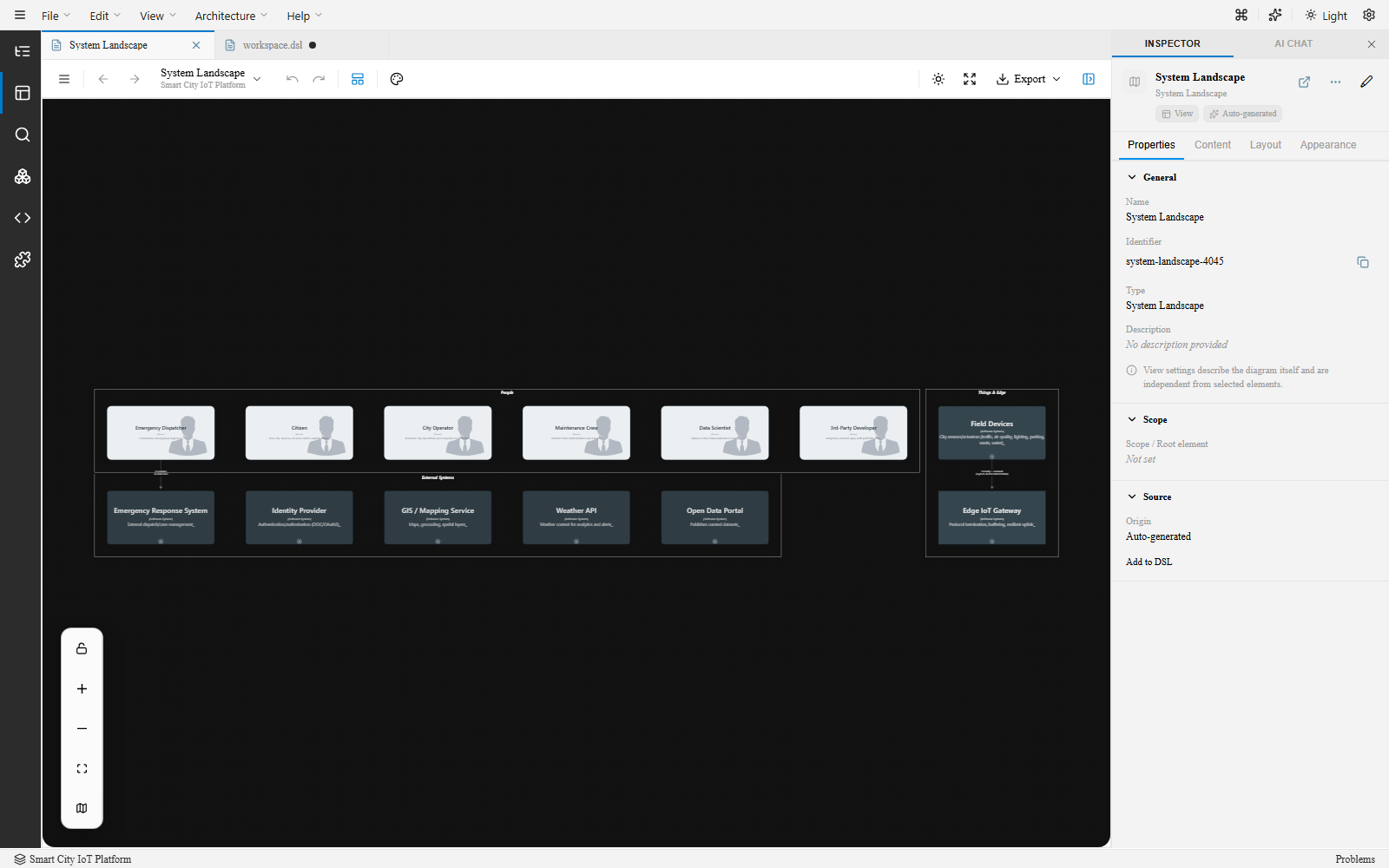
.dslfile. - The editor loads with the same canvas, inspector, and views as the VS Code extension.
Feature comparison
Section titled “Feature comparison”| Feature | VS Code Extension | Browser App |
|---|---|---|
| Visual canvas editor | Yes | Yes |
| DSL editor (Monaco) | Yes | Yes |
| Auto layout | Yes | Yes |
| PNG/SVG export | Yes | Yes |
| arc42 doc generation | Yes | Yes |
| Mermaid/PlantUML/Ilograph export | Yes | Yes |
| Copilot chat participant | Yes | No |
| MCP integration | Yes | No |
| Command Palette | Yes | Limited |
| File system access | Native | Upload/download |
| In-app AI chat | Yes | Yes |
Next steps
Section titled “Next steps”- Your First Project — Create a workspace from scratch
- UI Tour — Learn the main areas of the interface